Share where you are, only with who you want.
FreeBusy lets you share location, availability, and screen-time with the people who matter — at the exact granularity you choose. Your kids share precise location; the rest of the family sees just "at home" or "out". We can't read your signals. Neither can anyone else.
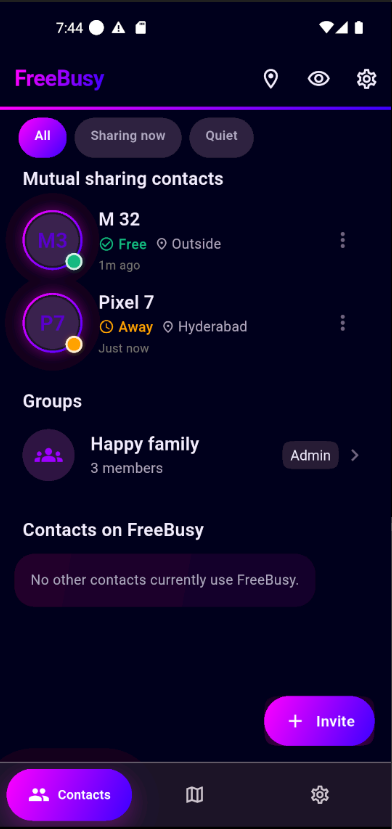
Built around the relationship, not the app
Different people get different views of you. That's how real life works. FreeBusy is the only sharing tool that respects it end-to-end.
Per-contact granularity
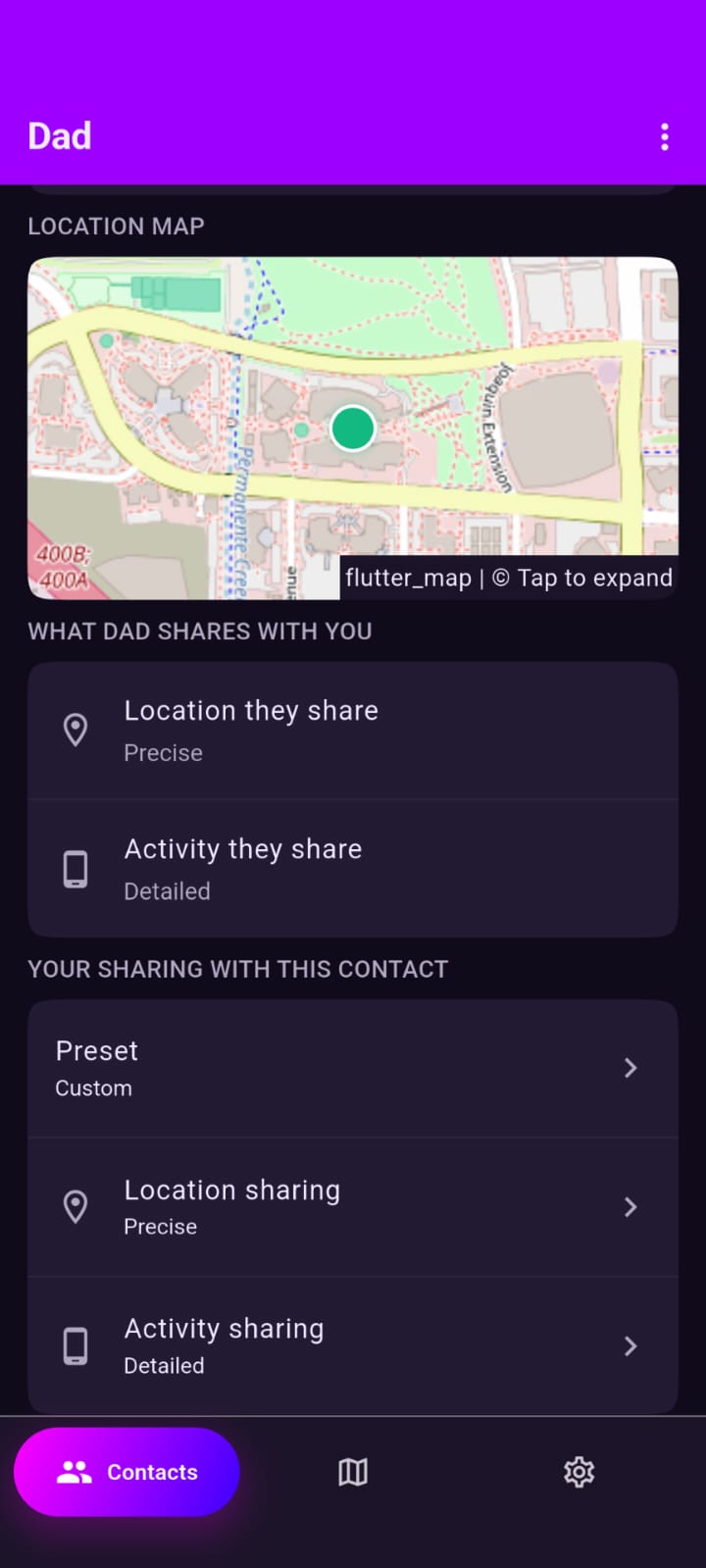
Your kids get precise location and screen-time. Grandparents see just "at home" or "out". You decide, per person, and you can change it anytime.
Groups with one shared level
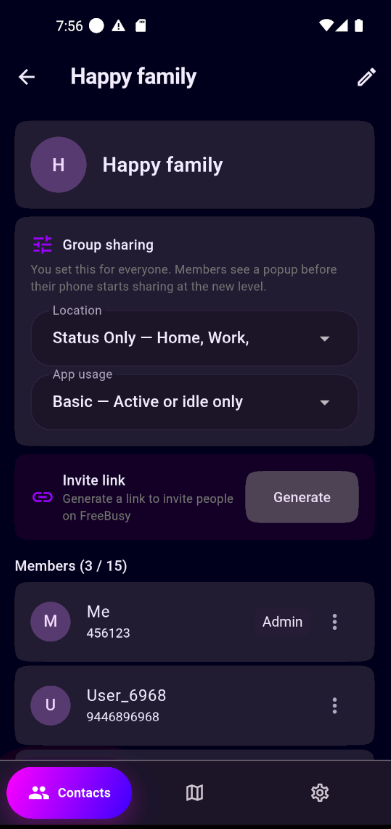
For the whole family — parents, kids, grandparents. The admin sets one policy that applies to everyone — change the level and every member's device picks it up on their next cycle.
Server-blind by design
Every signal is encrypted on your device, separately for each recipient. The server holds only opaque ciphertext. A breach of our infrastructure does not leak your location history.
Activity that's actually useful
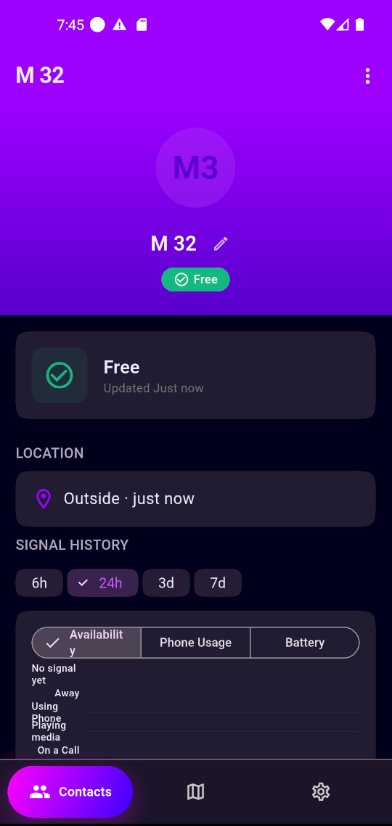
Availability (free, busy, driving, on a call), battery, screen-time by category — derived locally from system signals. No microphone, no tracking pixels, no behavioural profiling.
Background-aware
A foreground service keeps the cycle alive without melting your battery. Cadence and granularity are yours to tune from Settings.
No trackers. No data sales. No profile of you.
The free Android app is ad-supported, but ads never touch your encrypted signals — they can't, we can't read them. No cross-app tracking, no analytics tied to your identity, no behavioural profile, because the architecture doesn't allow one.
How it works
Sign in with your phone number
One-time password — no email/password to leak, no social login that tracks you across sites.
Add contacts at the level that fits
Pick the Family preset or roll your own — per-contact location level, app-usage level, quiet hours.
Your device encrypts, the server delivers
Every cycle, your phone builds a payload per contact, strips fields they shouldn't see, encrypts it, and uploads opaque ciphertext.
They decrypt on their device
Their phone unwraps the envelope locally. The plaintext never touches our servers. The map and history live in their pocket, not in our database.
A look inside the app
Pink-on-dark, glanceable, and built around the relationship. Every screen below was running against the real E2EE backend.
Get FreeBusy on Google Play.
Install from the Play Store, sign in with your phone number, and add the people who matter.
- Free to download and use on Android.
- Sign in with a phone number — no email or password.
- Share with contacts one-to-one or in groups — you set the level.
- End-to-end encrypted: turn sharing off or delete your account anytime.
iOS is in development and will ship as a paid app. Want to know when it lands? Email [email protected].
Frequently asked questions
How do I get FreeBusy?
Download it free from Google Play and sign in with your phone number, then start adding contacts.
Is it free? What about ads?
The Android app is free. It's ad-supported, but the ads are served independently of your data — they never touch your end-to-end-encrypted signals, and we don't build an advertising profile of you.
Can FreeBusy — or anyone — see my location?
Only the specific contacts you choose, at the level you choose. Every signal is encrypted on your device with the Signal Protocol before it's uploaded. Our servers store only opaque ciphertext, so even we can't read where you are.
Do I have to share the same thing with everyone?
No — that's the whole point. Set precise location and detailed activity for your kids, just "at home" or "out" for grandparents, and a plain free/busy status for extended family. You can change any contact's level, or a group's level, at any time.
Which platforms are supported?
FreeBusy is available now on Android. An iOS version is in development and will ship separately as a paid app.
How do I stop sharing or delete my account?
Toggle sharing off any time from the app, per contact or globally. To remove everything, use Settings → Delete account in the app, or follow the account-deletion steps. Details are in our privacy policy.
"Privacy-first" means publisher-blind, not user-restricted.
We can't read your signals — and that's the point. But you can share anything you like with the people you trust, at whatever level fits the relationship. Precise location with your kids. Just "at home" or "out" with extended family. Nothing you didn't choose. That's the deal.
Read the full privacy policy →